

Agent payment rails, explained
Updated
We're updating our Privacy Policy. The new version takes effect December 14, 2026. Read the updated policy
ResourcesGuide
Step-by-step: claim and verify your business in ChatGPT Business Hub, add the DNS TXT record, invite your agency, upload products three ways, and claim the $500 ad credit.
A ChatGPT Business Profile is the verified listing ChatGPT shows when it mentions your business. You claim it in Business Hub. It is free, it takes about an hour, and one part of it has to be done by you.
Our stance: the business owner claims the profile. Your agency gets invited in. Verification requires a government ID check on a real person. That person should be an owner or officer of the business, not a vendor. Everything after that, we can help with.
Screens and steps are as we saw them setting up our own profile on November 14, 2026. Business Hub is in beta and will change.
| Step | Business owner | Neural Partners |
|---|---|---|
| Create or claim the profile | Yes | |
| Add the DNS TXT record | If you manage your own domain | Yes, if your site runs on our website platform |
| Government ID check | Yes, always | Never |
| Category, description, logo, policies | Approve | Draft and enter |
| Product feed | Build and maintain, for clients | |
| ChatGPT Ads account and $500 credit | Claim it | Run the campaigns |
Go to chatgpt.com/business-hub and search for your business name.
If you have a physical location, you may already be listed. Select your listing and check the address before you claim it.
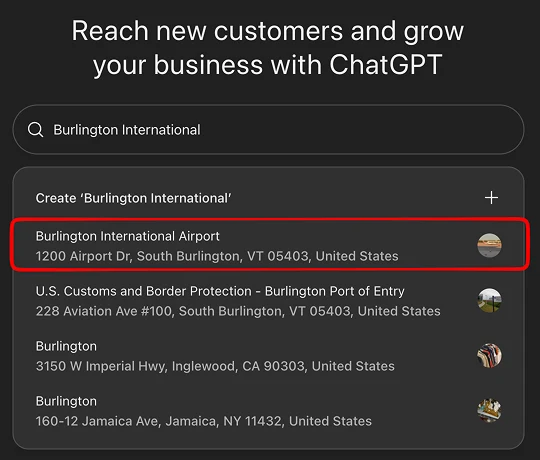
If you are not listed, or you sell online, choose Create.
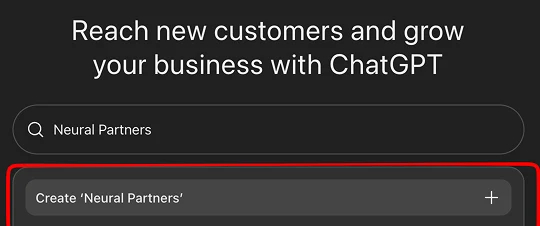
Each location is claimed on its own. Claiming the main brand does not claim its branches.
Enter your website. Business Hub then gives you a DNS TXT record with three values: a type, a host name, and a value.
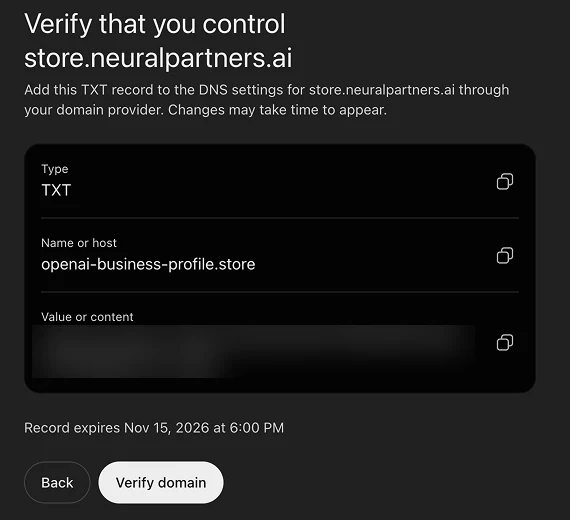
Add that record at your domain provider, wait for it to go live, then come back and select Verify domain.
Two things to know:
Depending on your business, OpenAI may offer verification by business phone or email instead. If you get the phone option, make sure a person or a direct line picks up, not a phone tree.
Pick the category that fits best. The list is fixed, so choose the closest match. Then write a short description. ChatGPT may use this text when it talks about you, so write it the way you would want to be introduced.
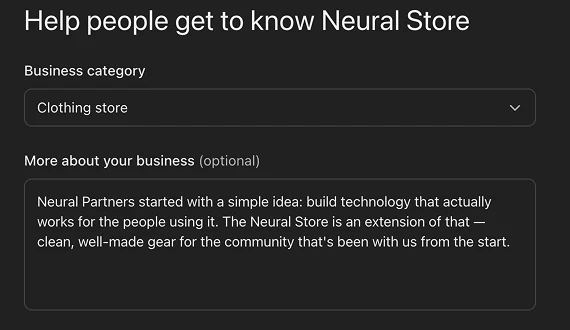
Keep your name, address and phone number identical to your website and your Google Business Profile.
Add a phone number and email if you want customers to have them. Then answer two questions: how you deliver, and what your return policy is.
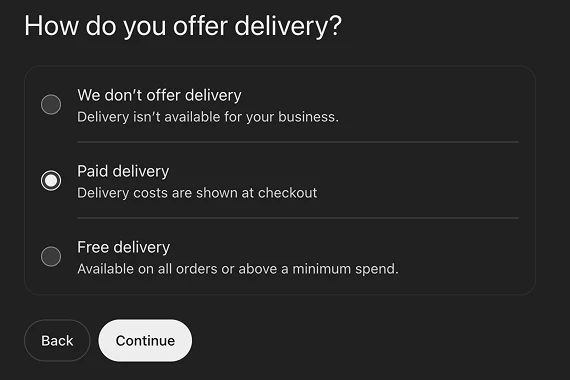
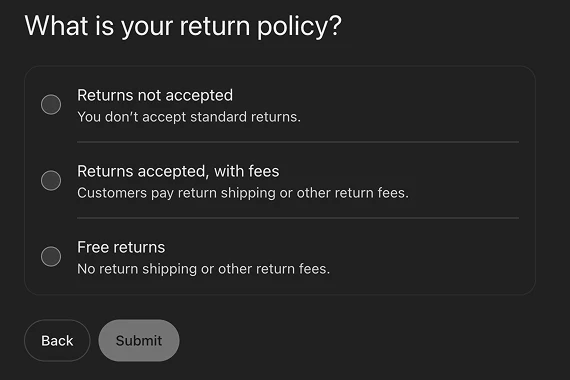
If you are a service business, “We don’t offer delivery” and “Returns not accepted” are fine answers. Check the preview on the right to see how it reads.
You will see a confirmation. The profile is not public yet.
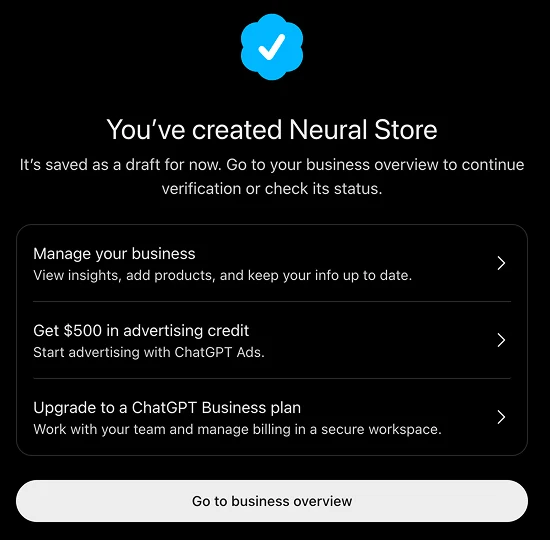
This screen also offers $500 in advertising credit. We cover the terms at the end of this guide.
From your business overview, select Verify. This is the step only you can do.
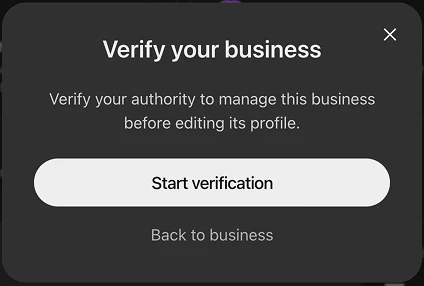
OpenAI uses a vendor called Persona. You will be asked to consent to biometric processing, photograph your ID, and take a live photo. You do it in the browser. There is no app to install.
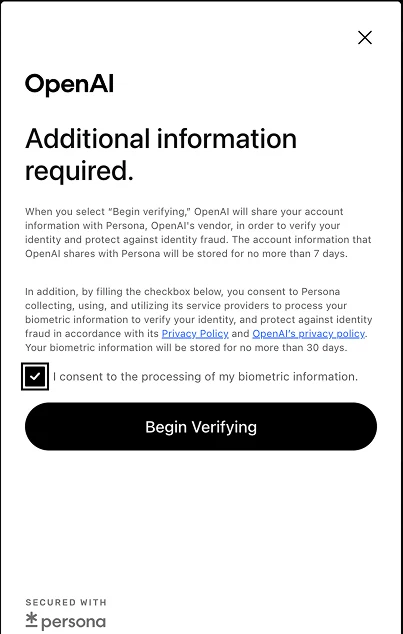
You will also enter business details: legal name, business type, and a physical address. P.O. boxes are not accepted.
Until this is done, you cannot edit your business info, upload products, or publish an agent. Once approved, your profile goes live with a verified badge.
Select Edit business info. You get five tabs: About, Contact, Photos, Delivery, Returns.
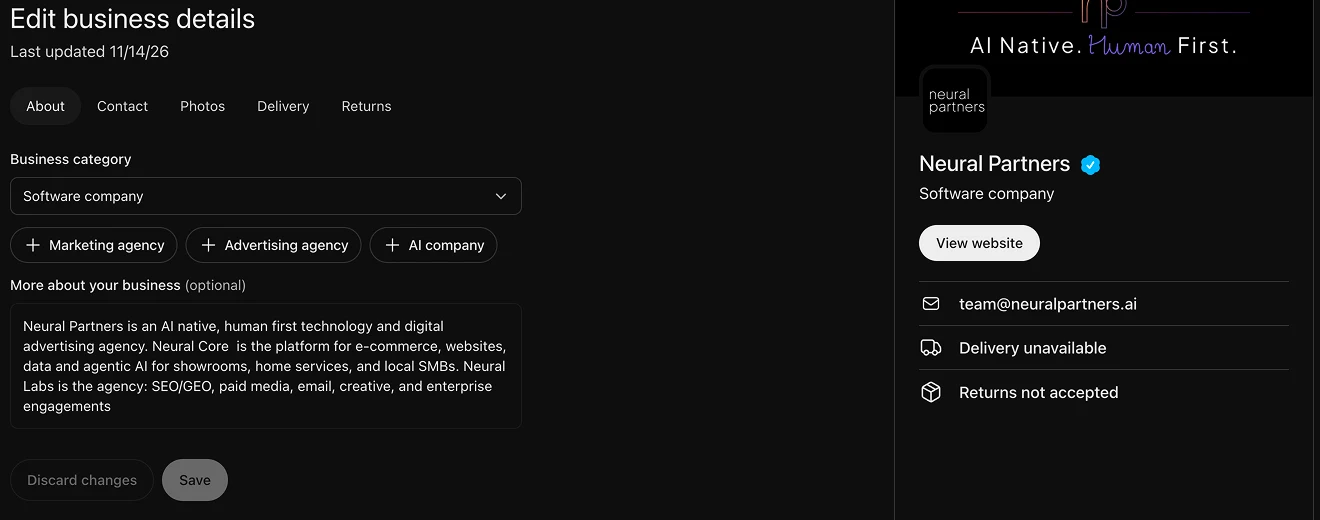
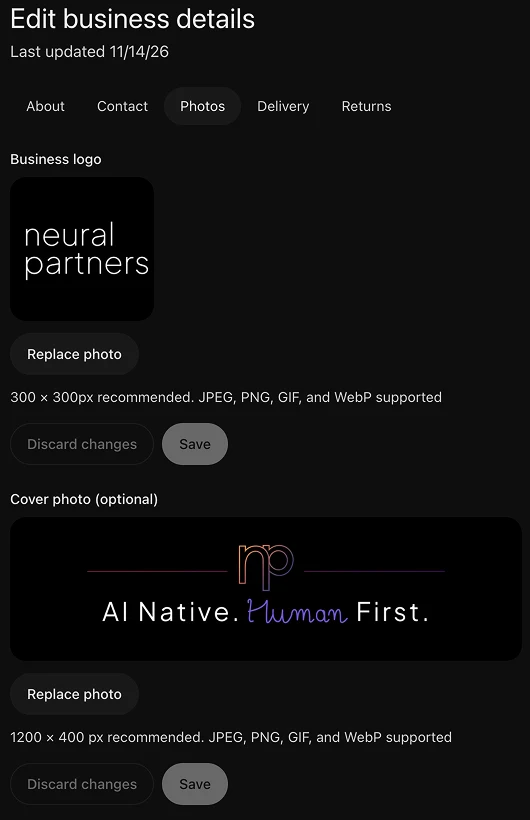
Upload your logo and cover photo under Photos.
Reported steps, which we have not yet confirmed in our own account: the admin who claimed the business uses the Invite button at the top right of the business overview to add teammates and agency partners. Each person signs in with their own ChatGPT account.
To give Neural Partners access, invite the email address your account lead gives you. Do not share your ChatGPT password or your ID with anyone, including us.
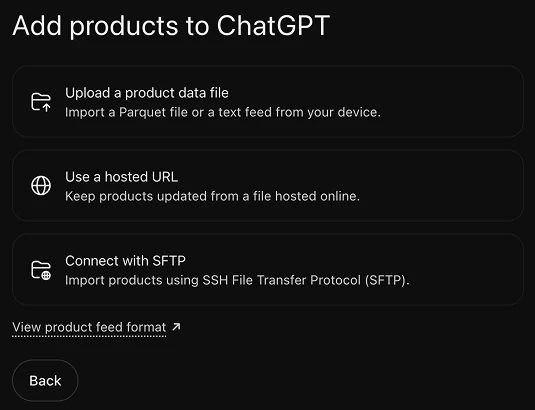
If you sell physical goods, open Products. You must finish identity verification first. There are three ways to deliver a feed:
| Method | What it is | Best for |
|---|---|---|
| Upload a product data file | A one-time file from your computer | A small catalog that rarely changes |
| Use a hosted URL | ChatGPT pulls a file you keep online | Most stores. Updates without re-uploading |
| Connect with SFTP | Your system pushes files on a schedule | Large catalogs and existing feed pipelines |
Each delivery is a full snapshot of your catalog. Whichever method you choose, the file has to match OpenAI’s product feed format.
Every product needs: an ID that never changes, title, description, product URL, brand, seller name, image URL, availability, price, and the countries you sell in. One row per purchasable variant. A row with missing or unrecognized availability is rejected.
Shopify stores can connect through Business Hub or Shopify admin instead of building a feed.
If you are a Neural Partners client, we build and maintain the feed from your catalog for you. A feed is only useful if price and stock stay current, and that is the part that breaks when it is done by hand.
A feed does not process orders. When a customer acts, your live website is still what confirms price and availability.
A profile and a feed tell ChatGPT who you are and what you sell. When a customer wants to buy, ChatGPT’s cloud browser comes to your website and uses your normal checkout. OpenAI’s setup guide asks you to check two things:
If you use a fraud or bot-detection service, ask them whether they recognize ChatGPT’s browser. OpenAI warns that these tools can cause agent purchases to fail.
To see where you stand, run our free Agent Readiness Analyzer. It fetches your homepage the way an agent would and reports whether agents can act and transact with your business. It takes about fifteen seconds and changes nothing on your site.
The credit is a match. As of November 14, 2026, per OpenAI’s published terms:
You claim it on your own ad account. If you want us to run the campaigns, invite us to the ad account the same way you invited us to the profile.
OpenAI is clear that a claimed profile does not guarantee better placement. ChatGPT still decides what to recommend. What you get is control over how your business is described, data on how often you are mentioned, and a place to put your products.