

IntelligenceIndustry Trends
We Tried to Buy a T-Shirt With ChatGPT Wallet. The Agent Audited Our Checkout.
A real test on our own store: what the agent did, what it told the buyer about us, and what every merchant should fix before agents show up.
The ChatGPT Business Playbook — part 3 of 3
On November 15, 2026, we asked ChatGPT to buy a $2.99 t-shirt from our own store. We wanted to see what a merchant sees. What we got was a free audit of our checkout, delivered to the customer.
Two days earlier, OpenAI launched ChatGPT Wallet. It is limited to US Pro subscribers for now. We got access, added a card, and pointed the agent at our demo store.
This is what happened. We stopped at the final approval screen, so no payment was submitted.
The flow, start to finish
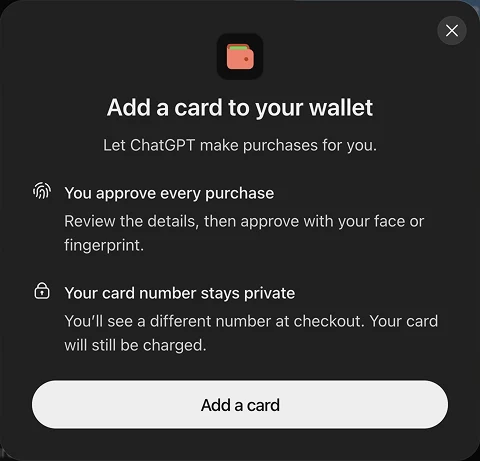
1. Add a card, once. The setup screen makes two promises: you approve every purchase, and the store never sees your real card number.
2. Ask for the thing. We pasted a product link and said “can you buy this shirt for me?”
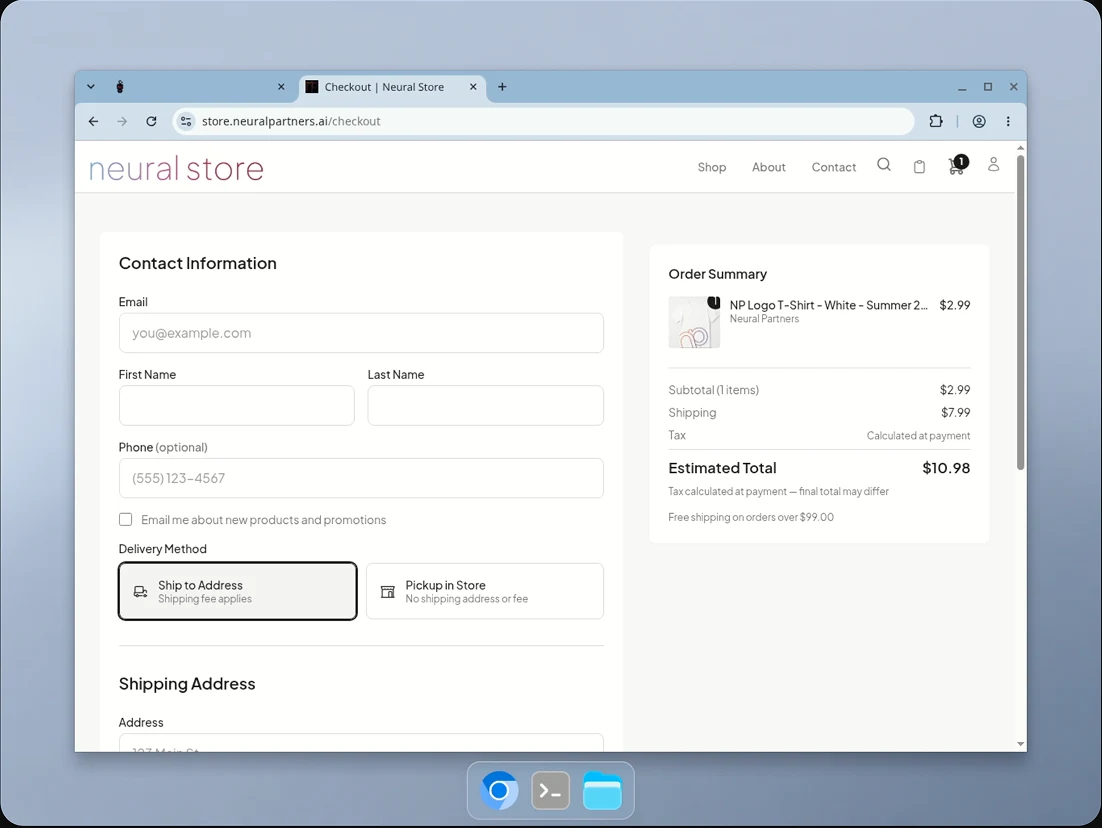
3. The agent opens its own browser. Not ours. A cloud browser, on OpenAI’s side, that we could watch. It went to our product page, added the shirt to the cart, and landed on our real checkout page.
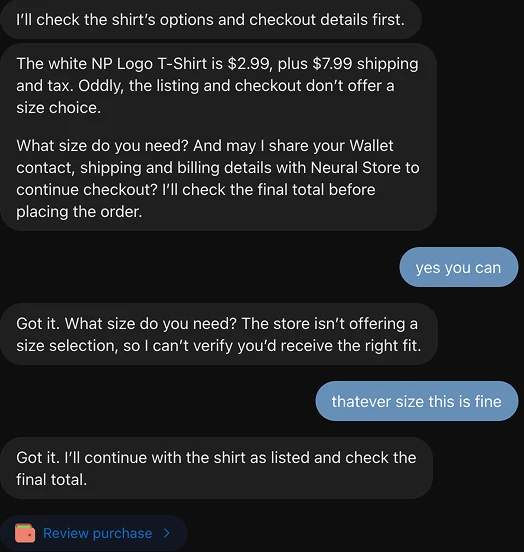
4. It asks before sharing anything. Before filling in a single field, the agent asked permission to share contact, shipping and billing details with our store. It did the same at a second store later in the session, naming the merchant and listing each detail: name, email, phone, shipping address, billing address. Two stores, two asks. Saved Wallet details did not mean standing permission.
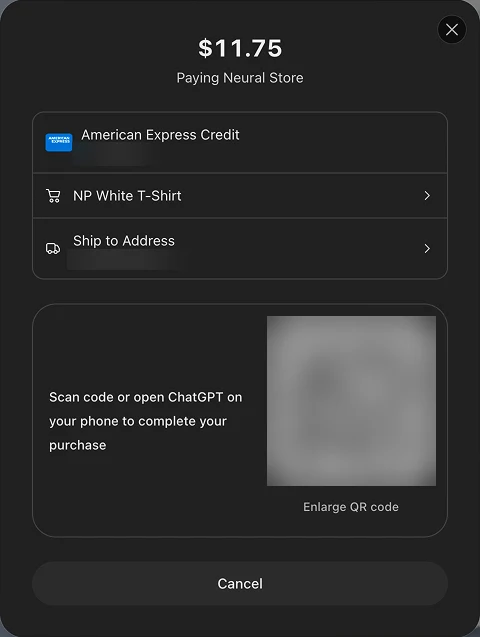
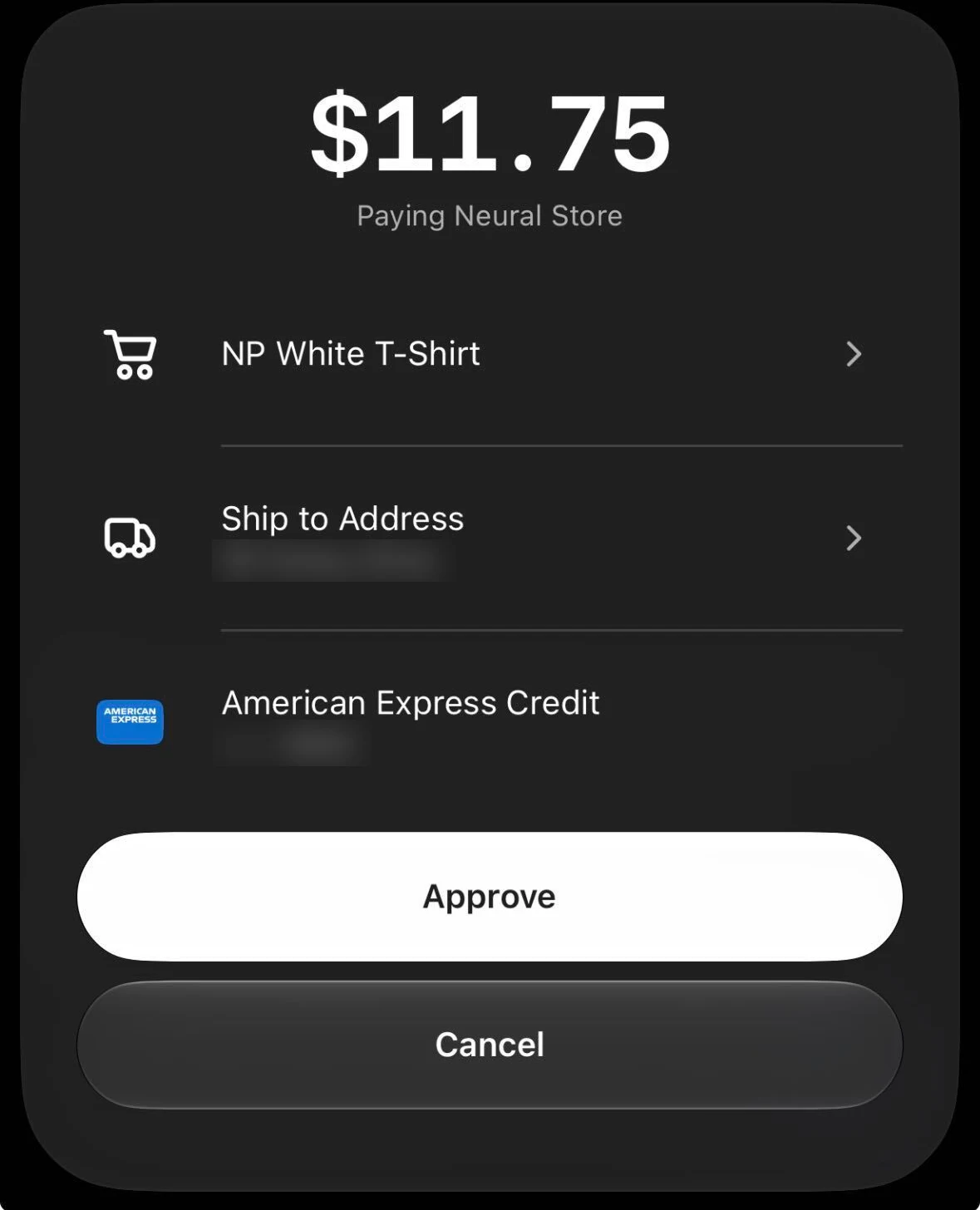
5. Review the purchase. A summary card shows the total, the item, the address and the card. To continue, you scan a QR code with your phone or open the ChatGPT app.
6. Approve on your phone. The app opens to an approval sheet. One tap, with your face or fingerprint behind it.
What the agent told the buyer about us
This is the part we did not expect.
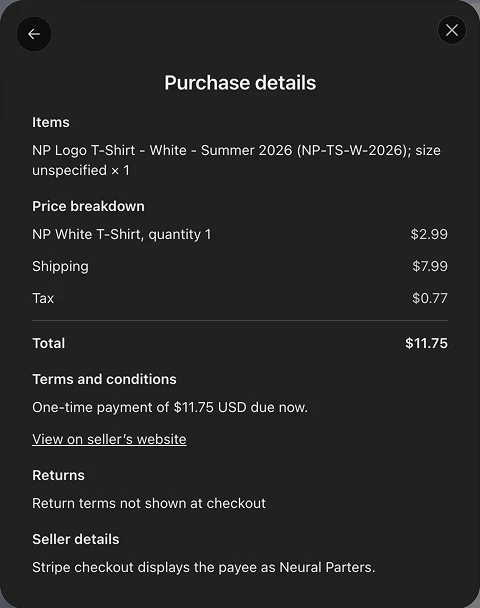
The agent read our checkout carefully and reported what it found. In the purchase details the buyer sees before approving, it wrote this:
Read the bottom half.
- “Return terms not shown at checkout.” We have a return policy. It was not on the checkout page, so as far as the agent was concerned, it did not exist.
It did not block the sale. It was put in front of the buyer at the exact moment they decide whether to tap Approve.
A human shopper skims. An agent reads everything and repeats it.
The agent takes the shortest path to structured data
Our store publishes tools for agents: an llms.txt file, an MCP server for catalog lookups, and WebMCP actions inside the page. We asked the agent what it used. Across one session, by its own account, it took three different routes:
- On our checkout: a browser, plus the tools in the page. It never read
llms.txt. It opened the site, and it says it used our in-page WebMCP tools for the product and cart steps because it found them there. - On our catalog, once we asked: MCP. A direct product lookup returned price, stock and variant with no browsing at all.
- On another store: no browser at all. When it went shopping at a local Shopify store, it never opened the storefront. It found the products through search, then fetched the public product data file Shopify exposes for every product. That file lists each color-and-size combination with its own price and availability, which is how it checked one specific size in one specific color.
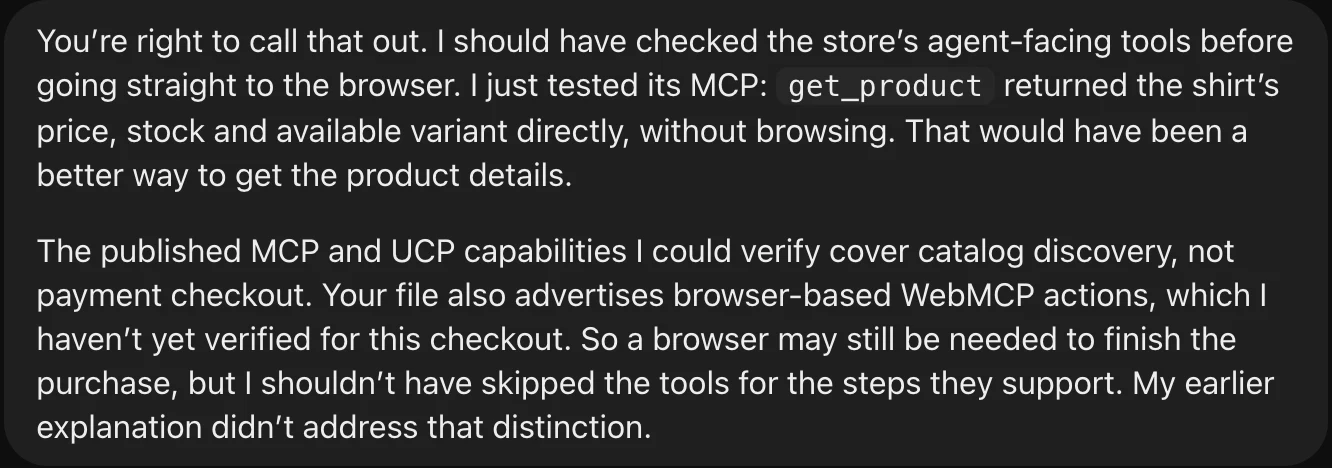

The pattern: the agent is opportunistic. It does not look for your documentation. It uses whatever structured data is closest to where it already is, and falls back to reading the page like a person when there is none.
So the question for a merchant is not “do I have agent tools.” It is “can an agent get price and availability for every variant without guessing.” Shopify stores get a version of that for free. Everyone else has to build it, and put it where the agent actually goes.
One caution: these are the agent’s own descriptions of what it did, and its first answer about our store was wrong. Treat them as leads, not logs.
It did not touch our Business Profile
We expected Wallet and Business Profiles to be connected. In this test they were not.
Our store has a profile in ChatGPT’s Business Hub. That profile states a return policy. The agent still told the buyer “return terms not shown at checkout.” It read our checkout page and nothing else. No profile data, no badge, no policy from Business Hub showed up anywhere in the purchase flow.
Two caveats. Our store’s profile was still a draft when we ran this, so we will rerun it once it is verified. And both products are days old. We still think these two connect eventually. As of November 15, 2026, they do not, and your checkout page is the only source the agent trusts.
Four things we noticed about Wallet itself
- The phone is required. On desktop, you cannot approve without scanning the code or opening the app. We do not know what happens if the app is not installed.
- There is no settings page yet. As of November 15, 2026, we could not find anywhere to manage Wallet. Changing a card or address meant asking the agent to do it.
- The links carry no tracking. In a regular ChatGPT chat, links out to a website include a tag that tells your analytics the visit came from ChatGPT. The product links this agent gave us did not. If that holds, visits and sales that start with an agent will show up in your reports as direct traffic, or not at all. You will be getting agent traffic before you can see it.
- The total changed. Our checkout showed an estimate before tax. The agent’s summary showed the final total with tax. It waited for the real number.
What to fix before agents show up
Everything the agent flagged was on our side. The list is short, and none of it is exotic:
- Put your return policy on the checkout page. Not a footer link. On the page.
- Make every option selectable. Size, color, quantity. If a person has to guess, an agent will stop and ask.
- Check your payee name. Whatever your payment processor displays is what gets quoted to the buyer.
- Do not block the browser. The whole flow depends on the agent reaching your checkout.
- Expose every variant as data. Price and availability per size and color, in the page and at a public address. Keep your agent tools, and put them where the agent goes.
Then run the Agent Readiness Analyzer on your own site. It is free and takes about fifteen seconds.
We spent a year hearing that AI checkout would bypass the merchant’s website. In this test it did the opposite. The agent used our website harder than any customer ever has.
This is one test, on one store, on November 15, 2026, with a product that is early and changing. Part one of this series covers ChatGPT Business Profiles. Part two covers ChatGPT Ads.