
Email & SMS report overview
The Email & SMS report shows how your Klaviyo sends performed, including recipients, opens, clicks, deliverability and the orders Klaviyo attributes to them. Open it to review a campaign or a month of sends.
Every figure is Klaviyo’s own except Our measured orders, which is your store’s. The report reads top to bottom: what Klaviyo measured, deliverability, the trends, then every message behind the charts.
Before you start
- You need the Marketing, Manager or Admin role.
- Your Klaviyo account must be connected. The connection is set up with the Neural Partners team. Entering a Klaviyo key in Settings doesn’t connect this report.
- Figures update once a day, at about 11:45 UTC, through yesterday.
Steps
-
In the sidebar, under Neural Analytics, select Email & SMS.
-
Read What Klaviyo measured from left to right.

-
Read Deliverability for bounces, spam complaints and unsubscribes.

-
Scroll to Trends to see sends, engagement and list size over the range.
-
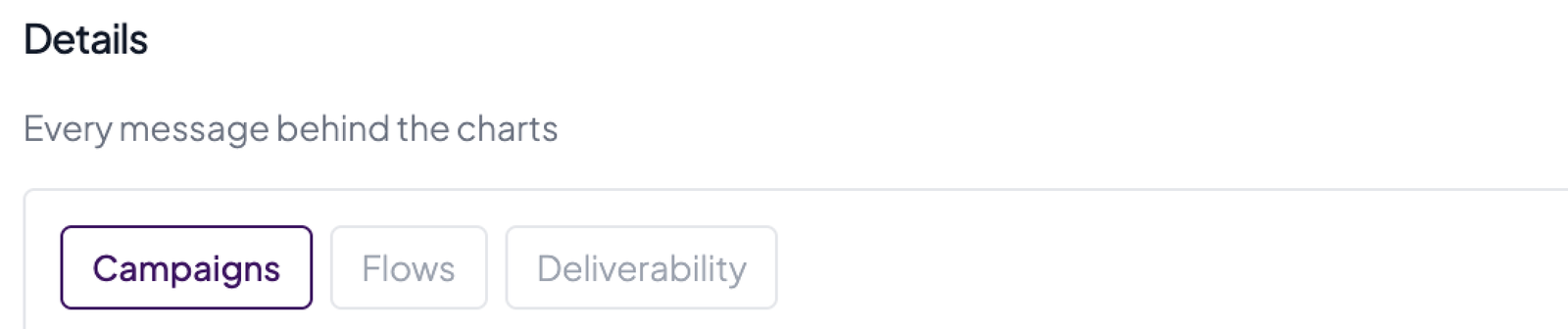
Under Details, select a tab to see every message behind the charts.
-
Select the question mark on a tile to read what that number means.
Good to know
What Klaviyo measured
- Five tiles for email: Email recipients, Delivered, Open rate, Click rate and Klaviyo-attributed orders.
- The line above the tiles, such as “1 of 42 days had a send”, counts the days in the range when something was sent. A quiet stretch means nothing was sent on those days. It doesn’t mean data is missing.
- SMS has its own row of tiles. It appears when the range has SMS sends. Otherwise the page says “No SMS data for this range.”
- A range with SMS sends but no email shows only the SMS row, subtitled “SMS only — no email in this range”.
Two order numbers
The last tile shows Klaviyo-attributed orders and, under it, Our measured orders for the same range.
- Klaviyo-attributed orders is Klaviyo’s count of placed orders that followed one of its sends within the attribution window set in your Klaviyo account (Settings > Attribution in Klaviyo).
- Our measured orders is what your own website recorded for the same days.
- Read them as Klaviyo’s number and your store’s number. The report never turns one into a percentage of the other, and neither should you.
- If Our measured orders reads “unknown”, there are no store figures for that range. It is not a zero.
- Klaviyo-attributed revenue shows in your Klaviyo account’s own currency.
Deliverability
Bounce rate, Spam complaints and Unsubscribes are the numbers that get a sender blocked. When the range has SMS sends, a fourth tile, SMS unsubscribes, joins them.
- Bounce rate is bounced emails divided by recipients, both from Klaviyo.
- Bounce rate and spam complaints decide whether your next send lands, so watch them month to month.
Trends
Six charts: Daily recipients, Opens and clicks, Attributed orders per day, List size, Top messages by clicks and Bounces and unsubscribes.
- Attributed orders per day shows the orders Klaviyo credits to a send, grouped by the day the campaign was sent (for flows, the day the message went out), not the day of the order.
- List size adds up the member count of every Klaviyo list, so a person on two lists counts twice. It plots only the days Klaviyo reported a list size, and it shows size only, not how many people joined or left.
Details
One table with three tabs: Campaigns, Flows and Deliverability.
- Campaigns has one row for every campaign sent in the range, up to the last 12 months, newest send first, with Sent, Recipients, Delivered, Opens, Clicks, Unsubs, Klaviyo-attributed orders and Klaviyo-attributed revenue.
- Campaign figures are Klaviyo’s lifetime figures for each message, keyed to the day it was sent. A campaign sent late in the range keeps gaining opens after the range ends.
- Flows shows the same for automated flow messages that actually sent.
- A flow you have built in Klaviyo that hasn’t sent yet has no row. Check in Klaviyo that the flow is live.
- Deliverability has one row per message, campaigns and flows together, with Message, Delivered, Bounced, Unsubscribed and Spam. Use it to find the one send that hurt your bounce or spam numbers.
- The report shows totals only. It doesn’t show who opened or clicked.
When recent numbers change
We refresh the last 7 days every day. A campaign’s own row keeps updating for up to 12 months, because its figures are lifetime totals. A campaign’s opens can keep rising weeks after it was sent.
Dates next to the Showroom report
Email days are cut in your Klaviyo account’s time zone. The Showroom report cuts its days at midnight UTC. Compare a week or a month, not a single day.
If the report is empty
- “Email & SMS is not available for this storefront” means no Klaviyo account is connected. The page says to connect one in workspace settings.
- “No Email & SMS data in this period” means Klaviyo is connected but data for those days hasn’t arrived yet, including right after you first connect. Check back tomorrow.