
File a help ticket
Send Neural Partners a ticket from inside Core when something is broken, you want a feature, or you need to know how to do something. The ticket form is on every page.
A ticket goes to the Neural Partners support team, with your email and the page you were on already attached.
Steps
-
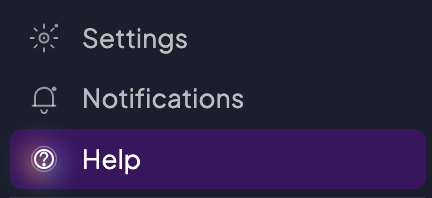
Select Help at the bottom of the sidebar. The ticket form opens in a panel at the side of the page.
-
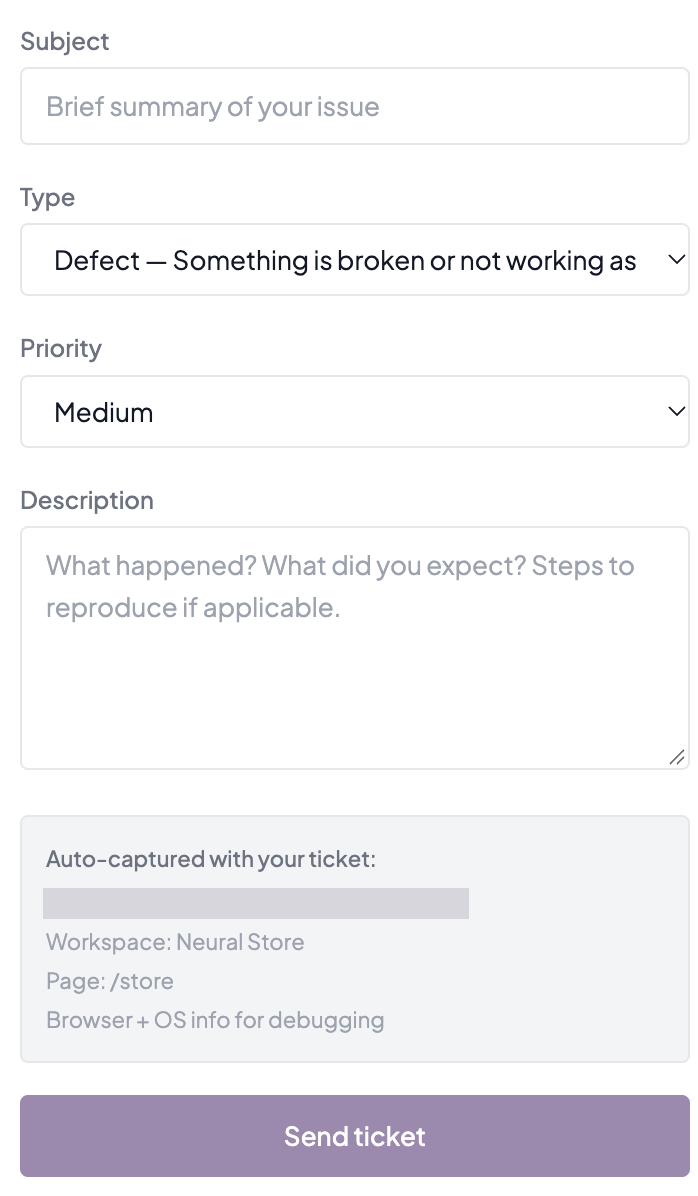
In Subject, type a short summary of the issue.
-
Choose a Type.
-
Choose a Priority.
-
In Description, say what happened, what you expected, and the steps that led to it.
-
Check the Auto-captured with your ticket box.
-
Select Send ticket.
Good to know
Other ways to open the form
- Select the help button, the question mark at the right end of the top bar.
- Select the question mark at the top of the agent panel (Help & support). It isn’t there on Home, or while Privacy mode is on.
Type and priority
- Type is Defect, Feature Request, How-To or General. Choose Defect when something is broken or not working as it should.
- Priority is Low, Medium, High or Urgent. The form starts on Medium.
- Subject and Description are required. Send ticket stays greyed out until both are filled.
What’s attached for you
- Your email and the page you were on are added to every ticket.
- You don’t type them and you can’t change them.
After you send
- The form shows “Ticket received” and offers Submit another ticket. If you saw that, your ticket is with the Neural Partners support team.
- The form says to expect a reply within 48 hours, usually.
- To reach a particular person, name them in the Description.
- Each ticket you send is recorded on its own. You don’t need to send it twice.
Screenshots
The form has no way to attach a file. Describe what you see in the Description. If a screenshot is essential, email it separately and mention your ticket’s subject.
If the ticket doesn’t send
- “Could not reach the ticket system”: select Send ticket again. The form keeps what you typed.
- “The ticket system rejected this submission. We have been notified.”: sending again won’t help. Contact Neural Partners directly and pass on your subject and description.
Who can do this
Any signed-in user, in any role, can file a ticket, with two exceptions:
- If you’ve switched your assistant off in AI Settings, Help doesn’t open the form.
- While Privacy mode is on, Help shows an Email support button instead.