
Home overview
Home is the first page you see when you sign in. It shows your Core agent, what needs you today, the pages you opened recently, news from Neural Partners and the last 14 days of activity.
Everyone on your team gets the same Home. Your role changes what a tile can show, not which tiles you get. The one exception is the top-left tile, which depends on whether your account has an agent.
Steps
-
In the sidebar, select Home.
-
Read the tile at the top left. It greets you and names the one thing that needs you most.
-
To talk to your Core agent, select Start a conversation. The tile grows to hold the conversation.
-
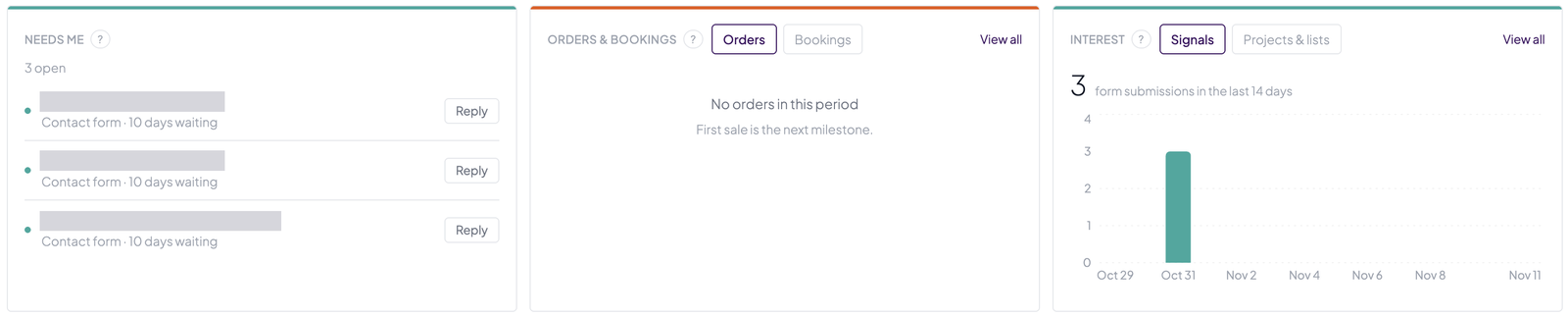
Under Activity, look at Needs me. To answer a contact form, select Reply on its row.
-
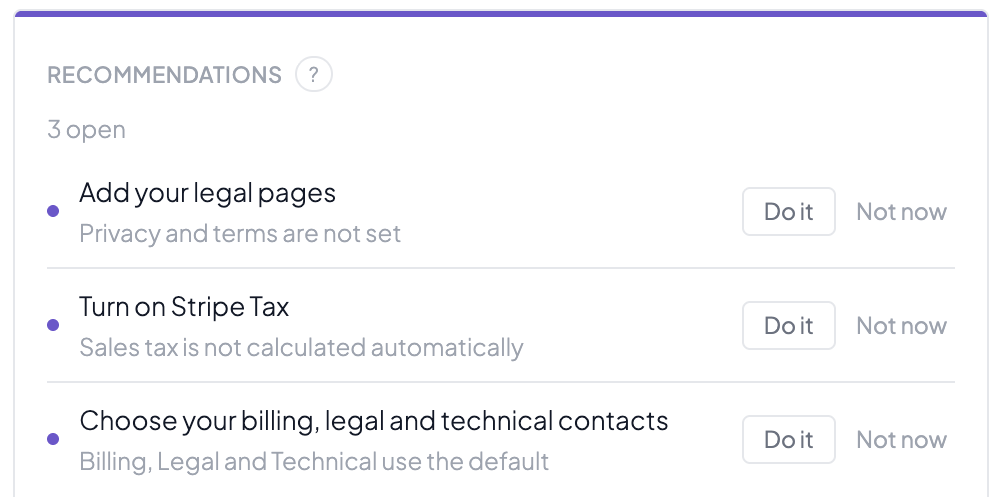
Under Recommendations, select Do it to act on a suggestion, or Not now to hide it.
-
To go back to a page you had open, select it under Recents & bookmarks.
Good to know
Your Core agent on Home
- The tile at the top left is your Core agent, titled with your agent’s name. It shows a greeting, the one thing that needs you most, a suggested prompt (or two when a contact form is waiting) and Start a conversation.
- When you start a conversation, the tile grows. Type in the box and select Send. Select Collapse to shrink the tile again.
- New conversation sits beside Send. Select it once and it asks “Clear this conversation?”. Select it again within 4 seconds to clear.
- The conversation is shared with the AI Agent button in the top bar. On other pages that button opens it as a side panel. On Home it opens this tile.
- If your account has no agent yet, Admins see Wake your agent, which opens an email to Neural Partners support. Everyone else sees a tile called Up next with the top Needs me item. You also see Up next if you’ve switched your assistant off.
- While Privacy mode is on, the agent tile isn’t shown.
Recents and bookmarks
- Recent lists the last pages you opened, up to 8. Bookmarked lists the pages you starred, up to 20. The tile shows the 4 newest of each.
- Both are yours alone, are kept for each account, and follow you to any browser you sign in on.
- Until you open a page, the tile reads “Pages you open show up here.”
- To bookmark a page, point at it under Recent and select the star.
- Select Manage to remove entries, then Done.
News from Neural Partners
- The slideshow at the top right shows up to five items from Neural Partners, newest first.
- It moves to the next slide every 6 seconds and pauses while your pointer is over it. Use the dots to pick a slide.
- Select a slide’s button, or the picture on a picture-only slide, to open the page it’s about.
- You can’t dismiss a slide or turn the slideshow off.
The search bar
The search bar on Home opens search with what you typed. It’s the same search as Search in the top bar (Cmd+K or Ctrl+K).
Needs me
- Needs me is built from your own data. It lists “Fulfil 3 orders” (or however many) when paid orders haven’t shipped, with an Open button that goes to Orders. Then it lists a “Reply to” row for each contact form nobody has answered, oldest first.
- It shows up to 5 rows, and the title says how many are open.
- An item leaves the list when the work is done.
- When nothing is waiting, the tile reads “Nothing needs you right now. All quiet.”
- If Core couldn’t check a source and found nothing else, it reads “Could not check right now.” instead.
Orders, bookings and interest
- Orders & bookings has an Orders tab and a Bookings tab. Each shows a count and a daily chart for the last 14 days.
- Interest has a Signals tab and a Projects & lists tab.
- Signals counts form submissions (contact, quote and appointment forms), with a daily chart for the last 14 days.
- Projects & lists shows the six customer lists with the most items. Lists with nothing on them aren’t shown. All lists opens them all.
- View all opens the full list for the tab you’re on.
Recommendations
- Recommendations are suggestions for setting up your account, such as “Add your legal pages”.
- Most suggestions only show for Admins.
- Do it opens the page where you make the change. A few open an email to support or ask your agent instead.
- Not now hides the suggestion for 30 days, for you, in that account only. Teammates still see it.
- When there’s nothing to suggest, the tile reads “Nothing to suggest right now.”
Products and listings
- The tile shows how many products you have, counting everything that isn’t discontinued.
- It also charts product edits per day. The edit history shows for the Marketing, Manager and Admin roles. Below Marketing, the chart reads “Edit history is available to Marketing roles and above.”
- Catalog opens your product catalog.
Your agent’s feed
The last tile is your agent’s feed of digests and task results, newest first. Select Show more on a long entry to read it all.
What each tile means
Every tile except the news slideshow and the search bar has a question mark beside its name. Select it to read what the tile shows.
Where the Assistant page went
The agent used to have its own page. Old links to that page open Home. If your account has an agent, the tile opens ready to chat.